
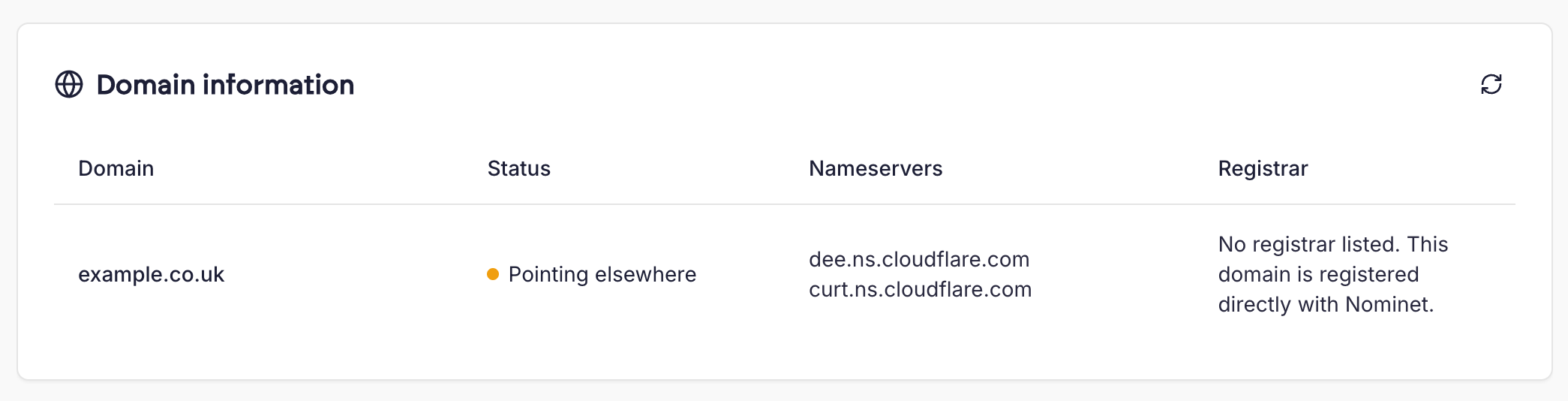
What’s shown
- Status - a live check of where the domain is pointing. If the domain does not currently resolve to your Cito server (for example, it is still pointing at a previous host), the status shows as “Pointing elsewhere”.
- Nameservers - the nameservers the domain is currently using, as published in DNS.
- Registrar - the company the domain is registered with, taken from the domain’s registry records.
Some
.uk domains are registered directly with Nominet (the .uk registry) rather than through a registrar. In this case there is no registrar to display, and the Registrar column says so.Common uses
- After migrating a site to Cito, check whether the domain is pointing at your new server yet.
- When a site is unexpectedly unavailable, quickly confirm whether the domain’s DNS still points at your server.
- Find out where a customer’s domain is registered and which DNS provider it uses, without reaching for
whoisanddig.